
Call us now :07971549111
 Send Inquiry
Aegis 16 Port Telephone Voice Logger
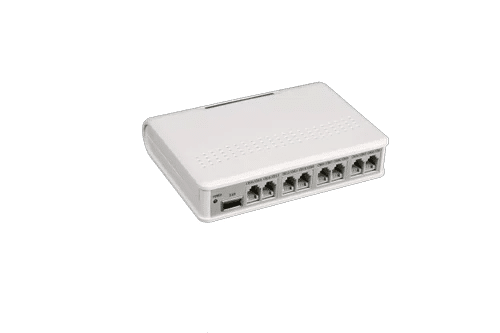
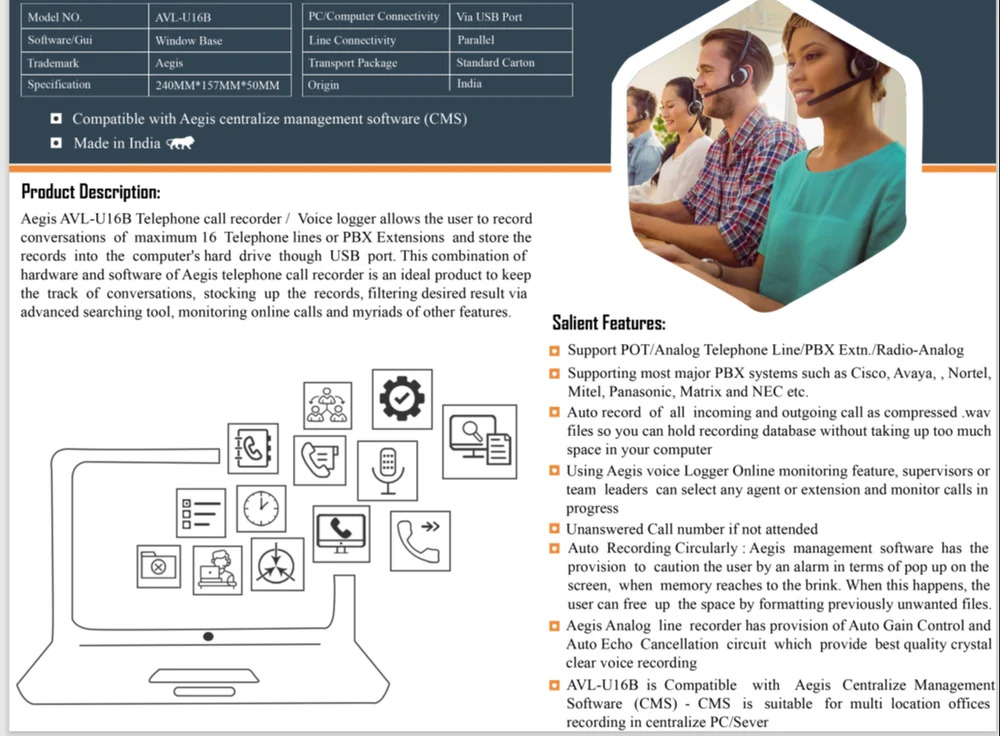

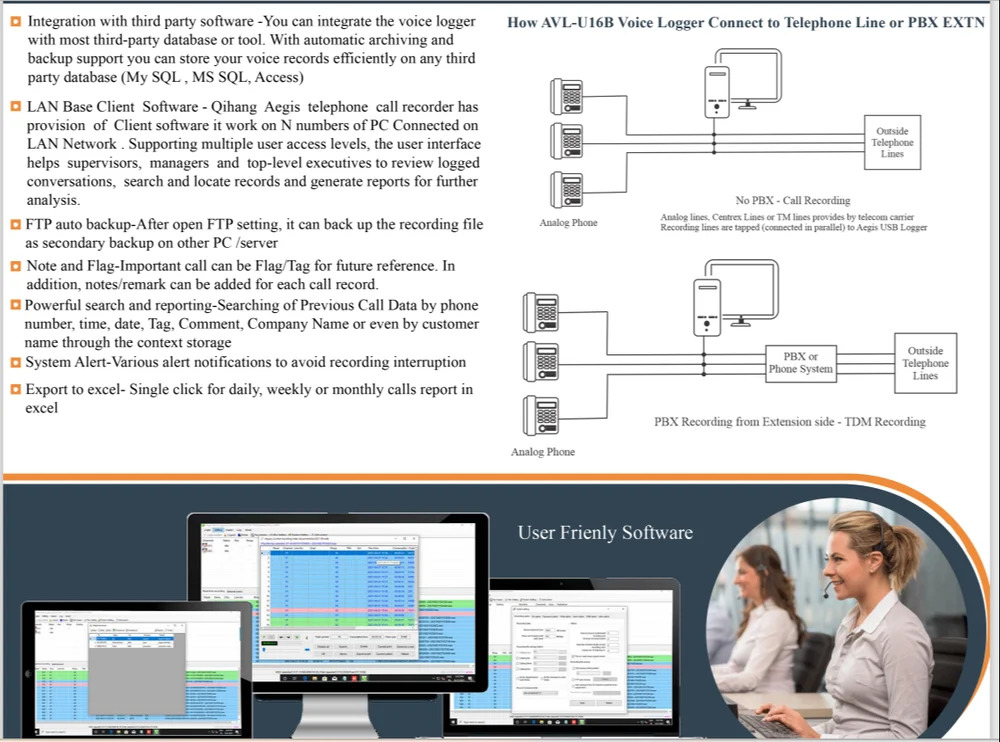

Aegis 16 Port Telephone Voice Logger Specification
- Connectivity Type
- USB 2.0
- Interface Type
- Standard Telephone Interface (RJ-11), USB Port
- Model
- AVL-U16B
- Power Supply
- DC 12V, 2A
- Range
- Up to 100 meters (line length)
- Size
- 16 Channel
- Mounting Type
- Desktop / Rack Mount
- Frequency
- 50-60 Hz
- Features
- Real-time monitoring, Web-based user interface, Plug & play, Automatic call recording, Remote access
- Battery Backup
- No
- Operating Temperature
- 0°C to 50°C
- Product Type
- voice logger
- Application
- Telephone Call Recorder
- Dimension (L*W*H)
- 310 x 175 x 45 mm
- Material
- Metal
- Weight
- 2.5 kg
- Capacity
- 16 Ports
- Coverage Area
- Up to 16 telephone lines
- Channels Supported
- 16 (FXO, analog lines)
- Installation
- Plug & Play, No external driver required
- Power Consumption
- < 25W
- Data Backup
- Automatic scheduled backup to network drive
- Recording Storage
- Local PC hard disk (unlimited by logger itself)
- Communication Protocol
- TCP/IP, HTTP
- Audio Format
- WAV, MP3
- Caller ID Support
- Yes (FSK, DTMF)
- Display Type
- LED Indicators per port
- User Management
- Multi-user access with permission levels
- Playback Mode
- Software-based, search by date/time/caller
- Compatibility
- Supports Windows 7/8/10 and above
- Compliance
- RoHS Compliant
Aegis 16 Port Telephone Voice Logger Trade Information
- Minimum Order Quantity
- 1 Unit
- Payment Terms
- Cash Advance (CA), Cash in Advance (CID)
- Supply Ability
- 30 Units Per Month
- Delivery Time
- 7 Days
- Main Export Market(s)
- Asia
- Main Domestic Market
- All India
About Aegis 16 Port Telephone Voice Logger
Product Details:
| Minimum Order Quantity | 1 Piece |
| Supports Operating System | Window 10 |
| Telephone Type | Recording System |
| Model Name/Number | AVL-U16B |
| Usage/Application | Telephone Call Recorder |
| Brand | Aegis |
| Required Computer RAM | 2 GB Ram |
| Ports | 16 |
| Country of Origin | Made in India |
Reliable Multi-Line Call Recording
Capture and manage up to 16 telephone lines concurrently with the AVL-U16B. The logger uses standard RJ-11 interfaces, delivering clear and reliable audio quality saved directly to your PC's hard disk in WAV or MP3 format. With LED indicators per port, users can easily monitor device status in real time.
Seamless Installation and User Management
Designed for straightforward deployment, this voice logger requires no external drivers and employs a true plug-and-play architecture. Robust multi-user access and permission management help you control who interacts with call records while maintaining security and compliance.
Intelligent Storage and Backup
Call recordings are stored directly on your computer, with no storage restrictions imposed by the device itself. Scheduled automatic backups to a network drive keep your data safe and indexed for instant retrieval by date, time, or caller details, enhancing operational efficiency.
FAQ's of Aegis 16 Port Telephone Voice Logger:
Q: How do I set up the Aegis 16 Port Telephone Voice Logger in my office?
A: Installation is simple and requires no additional drivers. Connect your telephone lines to the logger via RJ-11 ports, attach the device to your PC using the USB 2.0 cable, and follow the included software prompts. The plug-and-play design ensures compatibility with Windows 7, 8, 10, and newer versions.Q: What is the process for searching and playing back recorded calls?
A: You can search and retrieve recordings using the integrated software, which allows filtering by date, time, or caller information. Playback is software-based, enabling you to listen to calls saved in WAV or MP3 formats directly from your PC.Q: Where is the recorded data stored and how secure is it?
A: All call recordings are stored on your local PC's hard drive. Data security is enhanced with user access permissions and the ability to schedule automatic backups to a secure network drive, ensuring redundancy and disaster recovery.Q: What is the benefit of having multi-user access with permission levels?
A: Multi-user access allows different staff members to interact with the system as needed, while permission levels ensure sensitive call recordings can only be accessed by authorized personnel, supporting privacy policies and regulatory compliance.Q: How does the logger support for caller ID enhance its functionality?
A: With support for both FSK and DTMF caller ID standards, the logger captures and logs caller information for every recorded call. This feature aids in identifying, tracking, and managing incoming and outgoing communications effortlessly.Q: When should I consider using automatic scheduled backup for call data?
A: Scheduled automatic backups are best configured to run outside business hours to avoid network congestion. This protects your data against accidental deletion or hardware failure, maintaining an up-to-date archive offsite or on network-attached storage.Tell us about your requirement

Price:
Quantity
Select Unit
- 50
- 100
- 200
- 250
- 500
- 1000+
Additional detail
Mobile number
Email

More Products in AEGIS Voice Logger Category
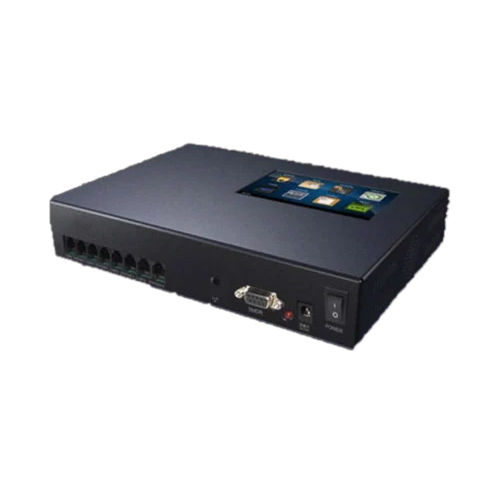
Aegis TQ-08 Standalone Voice Logger
Price 40180 INR / Unit
Minimum Order Quantity : 5 Units
Application : Industrial
Model : Aegis TQ08 Standalone Voice Logger
Material : Metal
Product Type : Standalone Voice Logger

Aegis 16 Port Telephone PCIe Voice Logger
Price 17630 INR / Unit
Minimum Order Quantity : 5 Units
Application : Industrial
Model : AVL32T5P16
Material : Metal
Product Type : 16 Port Telephone PCIe Voice Logger
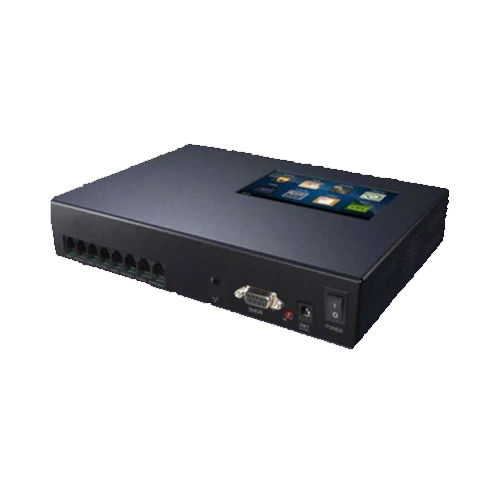
Aegis AJ-2 Standalone Voice Logger/Telephone Voice Recorder
Price 25010 INR / Unit
Minimum Order Quantity : 1 Unit
Application : Industrial
Model : Aegis AJ2 Standalone Voice Logger
Material : Metal
Product Type : Standalone Voice Logger
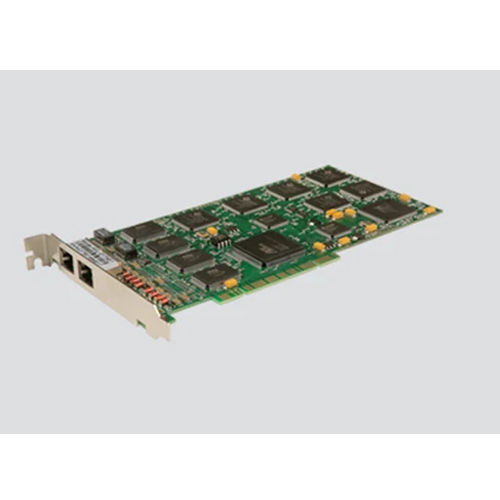
Aegis AVL02TXE1 PRI Voice Logger
Price 76260 INR / Unit
Minimum Order Quantity : 5 Units
Application : Industrial
Model : AVL02TXE1
Material : Metal
Product Type : PRI Voice Logger

 Send Inquiry
Our Products
- Matrix Time Attendance
- IP CCTV Security Camera
- IP Phone
- Connect Voice Logger
- Matrix Bullet Camera
- Digital Phone
- Network Gateway
- Matrix Network Video Recorder
- Matrix EPABX System Card
- EPABX System
- Voip Gateway
- AEGIS Voice Logger
- AEGIS Fixed Cellular Terminal Device
- Connect Fixed Cellular Terminal Device
- Matrix FCT Device
- Core IP Server
- CCL Epabx Systems


Plot No. G-57, 3rd Floor, Vikas Marg, Laxmi Nagar,Delhi - 110092, India

Mrs Seema Vikrant Vaidh
(Sales Manager)
Mobile :07971549111
 Send Inquiry
 Send SMS
 Call Me Free
Developed and Managed by Infocom Network Private Limited.


